
Tips for Creating a Productive Home Office Space
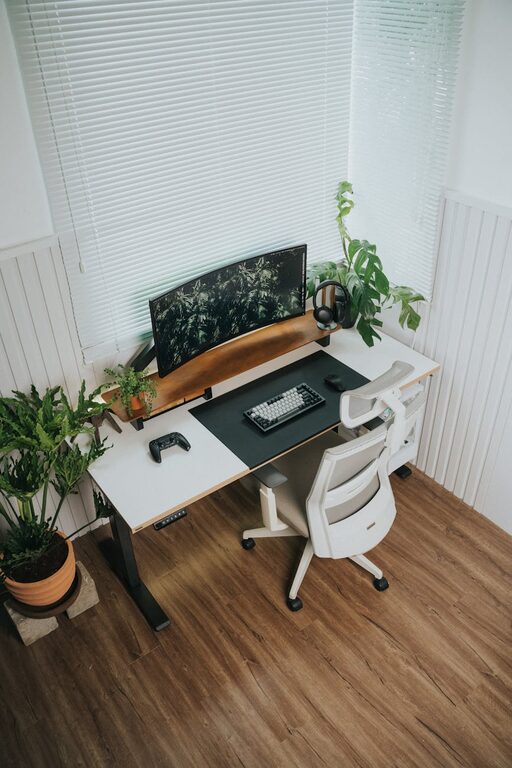
Creating a productive home office space is essential for anyone working remotely or managing tasks from home. A well-designed workspace can enhance focus, minimize distractions, and promote better work habits. Whether you have a dedicated room or just a small corner, the right setup can make all the difference in your daily routine. Here are some helpful tips to create an efficient and comfortable home office.
Choose the Right Location
Consider Natural Light
Position your desk near a window if possible. Natural light boosts mood and energy levels, helping you stay alert. Avoid placing your computer screen directly opposite a window, though, to reduce glare.
Minimize Noise and Distractions
Select a quiet spot away from household traffic or noisy appliances. If this isn’t feasible, consider noise-canceling headphones or white noise machines to help maintain concentration.
Invest in Comfortable and Functional Furniture
Ergonomic Chair and Desk
A supportive chair with adjustable height and lumbar support can prevent back pain during long workdays. Pair it with a desk that fits your space and provides enough surface area for your work essentials.
Proper Desk Setup
Place frequently used items like your phone, notebook, or stationery within easy reach. This reduces unnecessary movement and keeps your workflow smooth.
Organize and Declutter
Storage Solutions
Incorporate shelves, filing cabinets, or storage boxes to keep documents and supplies tidy. Label containers to find items quickly.
Regular Clean-ups
Set aside a few minutes at the end of each day to tidy your desk. A clutter-free space can help clear your mind and reduce stress.
Optimize Lighting
Mix of Natural and Artificial Light
Use desk lamps or floor lamps to complement natural light, especially for late-evening work. Choose lighting with adjustable brightness and a neutral tone to avoid eye strain.
Position Lighting Correctly
Avoid placing lights directly behind your monitor, which can cause screen glare. Instead, aim for side lighting or overhead fixtures.
Personalize Without Overdoing It
Add Inspiring Elements
Incorporate plants, artwork, or motivational quotes that make the space inviting and boost creativity.
Keep It Professional
Avoid too many distractions like excessive photos or personal items that might divert your attention.
Use Technology Wisely
Reliable Equipment
Invest in a good-quality computer, printer, and other devices that meet your work requirements.
Cable Management
Keep cords organized using clips or cable sleeves to maintain a neat appearance and avoid tripping hazards.
Establish Work Boundaries
Define Work Hours
Set specific hours for starting and ending work to help separate your professional and personal life.
Communicate With Household Members
Let others know your schedule to minimize interruptions during important work periods.
Incorporate Healthy Habits
Take Regular Breaks
Stand up, stretch, or take short walks to stay active and reduce fatigue.
Hydration and Snacks
Keep water and healthy snacks nearby to maintain energy throughout the day.
—
Creating a productive home office is about balancing function and comfort. By choosing the right location, investing in ergonomic furniture, organizing your space, and setting healthy work habits, you can build an environment that supports your best work. Start making small changes today and enjoy a more focused and enjoyable work-from-home experience.
Related Post

Tips for Creating a Cozy and Inviting Home Workspace
Learn how to create a cozy, comfortable, and inspiring home workspace with simple tips that [...]
Tips for Creating a Cozy and Productive Home Workspace
Discover practical tips to design a home workspace that’s both comfortable and efficient, helping you [...]
Tips for Creating a Cozy and Productive Home Office Space
Discover simple and effective ways to design a home office that boosts comfort and productivity, [...]